Vaseverse › Vase mode vases · Italiano
Vase mode (spiral vase) generator
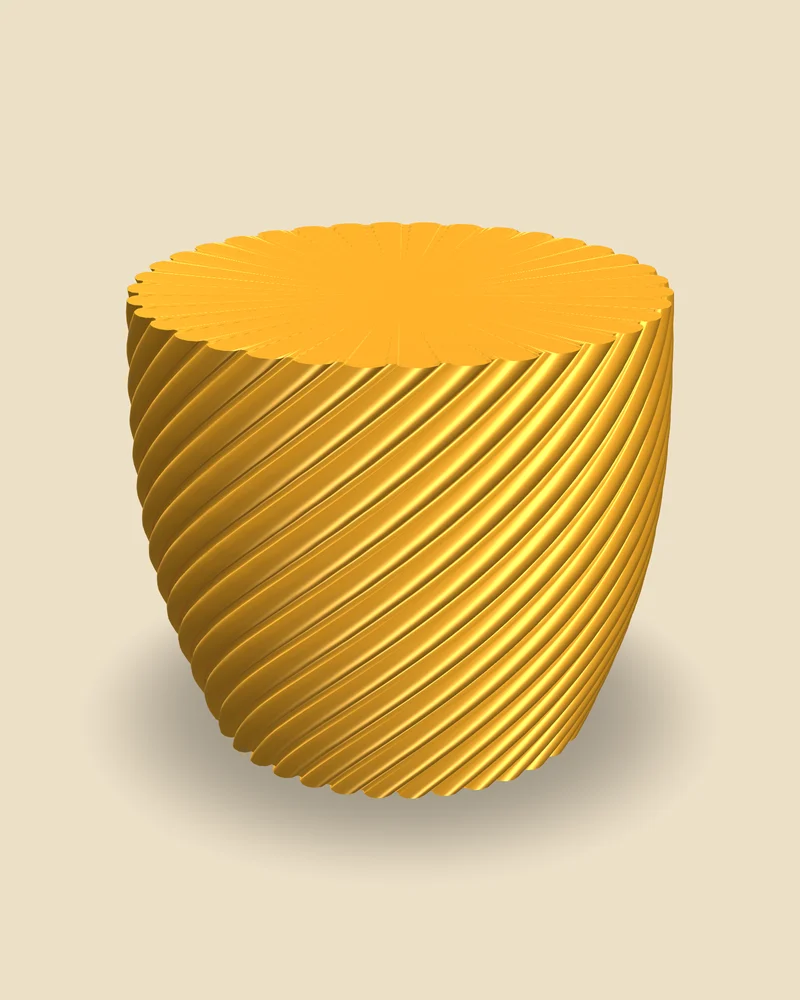
Design a vase for spiral vase mode: Vaseverse exports a solid body and your slicer prints just the outer wall in one continuous line. Preview it in silk, metallic, dual-colour or gradient filament before you print.
Open the vase mode generatorFree 3D vase models
Free, no account, no ads. Runs in the browser on phone and computer.
What it does
| Export | a solid, closed body: the slicer turns it into a single spiral wall |
| Slicers | Bambu Studio and OrcaSlicer (Spiral vase), PrusaSlicer (Spiral vase), Cura (Spiralize outer contour) |
| Shape | height, diameters, belly, sides, twist, your own profile drawn by hand |
| Patterns | ribs, waves, spirals, textures, stacked in layers |
| Preview | overhangs past 45° in orange; filament finishes: silk, metallic, marble, sparkle, matte, translucent |
| Colours | single, dual and tri-colour silk, gradient, with real filament colours |
| Files | STL or 3MF |
In vase mode the slicer prints the base, then climbs in a single spiral with no seams and no travel moves. It is the fastest way to print a vase and the one that makes silk filament shine. The slicer needs a solid model to do it, and that is what Vaseverse exports when Spiral vase is on.
Shapes made for vase mode also have to be printable with a single wall: Vaseverse shows in orange any part of the wall that leans out past 45°, so you can fix it before slicing. The preview also shows how the vase will look in the filament you actually have: silk, metallic, marble, sparkle, dual-colour or gradient, with the real colours of filaments on the market.
How it works
- Open the generator: it starts with a twisted ribbed vase in gold silk, Spiral vase already on.
- Change shape and pattern; keep an eye on the orange overhang preview.
- In Colours, pick the filament finish and colours to see it as it will print.
- Download STL or 3MF and turn on spiral vase mode in your slicer.
Printing tips
- On a 0.4 mm nozzle, a 0.6 to 0.8 mm line width makes a much stronger single wall.
- Two or three bottom layers are enough; the slicer does not add a top.
- Silk filament looks best a bit slower and hotter; check the spool for its range.
Questions
Why does it export a solid vase?
Slicers build the spiral wall from the outside of a solid model. A hollow model with its own wall would confuse spiral vase mode.
Will a vase mode vase hold water?
A single wall can seep. A wider line width helps; for fresh flowers, a glass inside is the safe choice.
Can I preview dual-colour silk?
Yes. Pick Silk and Side by side colours: each side of the wall shows one colour depending on which way it faces, as with real coextruded filament.
Is it free?
Yes, free, with no account and no ads.